Fridge Not Cooling? What LG, Samsung, Haier and IFB Tell You to Check, in Their Own Order
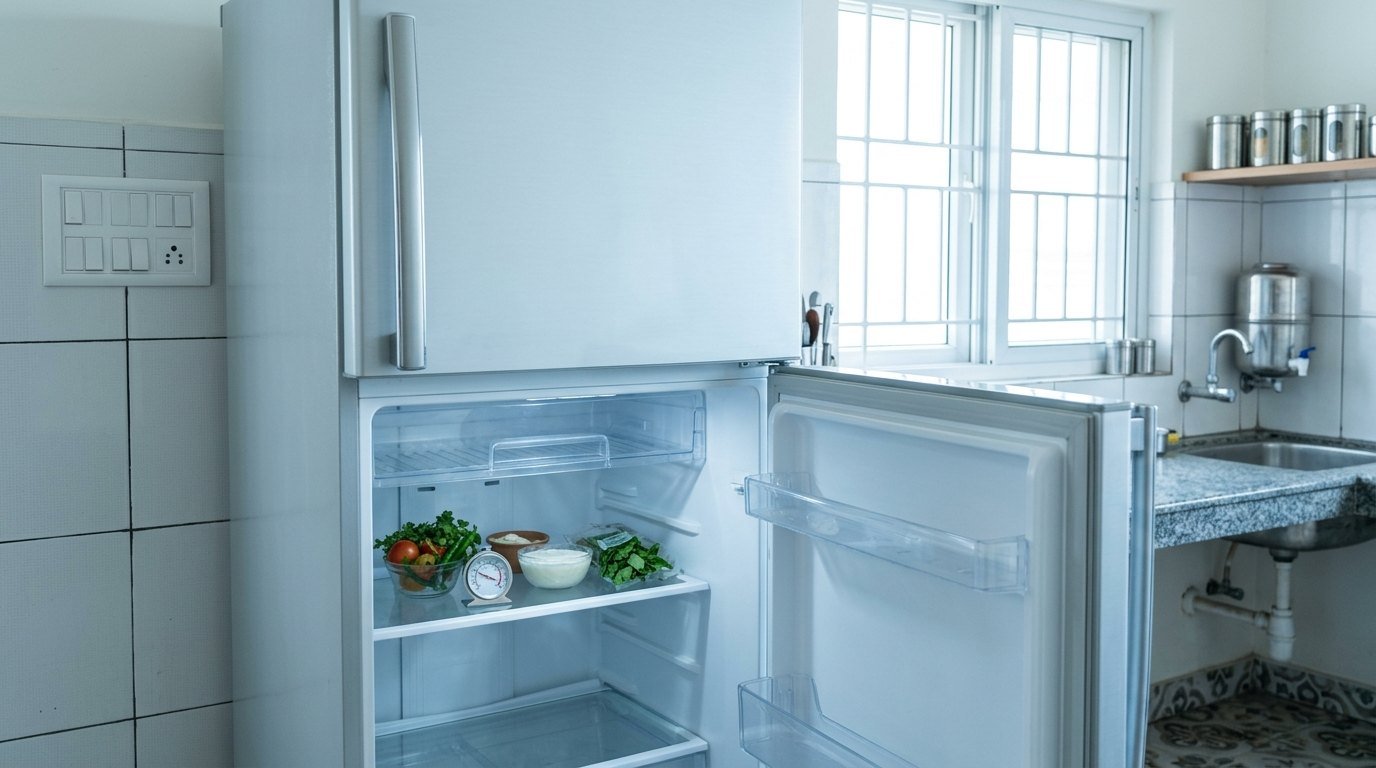
Four makers’ India support pages and manuals side by side: each one’s check order, why a freezer can stay cold while the fridge warms, and where their temperature advice disagrees.
 Samsung 256 L 3 Star RT40H30U3THLConvertible, Digital Inverter frost free double door₹32,000Amazon, 8 Nov 2026★ 4.2Check price ↗
 Whirlpool 235 L 3 StarFrost-free inverter double door refrigerator₹27,000Amazon, 8 Nov 2026★ 4.0Check price ↗
 Haier 190 L 5 Star HED-205DSA-PDirect cool inverter single door refrigerator₹16,600Amazon, 8 Nov 2026★ 4.0Check price ↗
 IFB 197 L 5 StarAdvanced inverter direct-cool single door refrigerator₹18,000Amazon, 8 Nov 2026★ 4.0Check price ↗
Quick answer: confirm power, then check the temperature setting, how full the fridge is, the door seal and the space around it. LG, Samsung, Haier and IFB all name the setting and blocked airflow as causes. LG’s 30 July support page puts its reset in one line: “Start by unplugging briefly to reset”. None of the LG, Samsung, Haier or IFB fridge documents we read names a reset button.
Fridge not cooling: each maker’s first five checks
Each column keeps that maker’s own order.
| Order | LG support page (4 July 2026) | Samsung RT34HG5A23S8HL manual (read 1 October 2026) | Haier blog (June 2025) | IFB IFBFF-2902FBB help page (read 1 October 2026) |
|---|---|---|---|---|
| 1st | Temperature setting | Power cord plugged in | Door seal | Plugged in and switched on |
| 2nd | Too full of food | Temperature control | Temperature settings | Clearance at sides and top |
| 3rd | Door not closing | Heat source or sunlight | Blocked vents | Sunlight, stove or OTG nearby |
| 4th | Too close to a wall or sink | Gap at sides or rear | Defrost system | Setting left on “Winter” |
| 5th | Balcony or drastic temperature changes | Vacation mode on | (the post lists four) | Air gaps behind shelves blocked |
Samsung’s manual and IFB open with power; LG’s page opens with temperature; Haier’s blog opens with the seal. Samsung’s direct-cool support page (2 March 2026) starts “Before proceeding, confirm that there is no power-related issue.”, then the season knob setting, then “Lack of regular manual defrosting”.
The checks, in the order you can do them
1. Power. Samsung: “Open the refrigerator door and check whether the LED light turns on. If the LED light does not turn on, the refrigerator may not be receiving power.” It adds: “Do not use extension cords or multi-plug adapters.” LG’s GLT22/25/28 manual adds a blown fuse or tripped circuit breaker.
2. A mode that switches the fridge off. On Samsung side-by-side and French door models, Vacation mode “will turn off the fridge and only the freezer stays on.” Samsung’s RT34 manual: “Deactivate vacation mode.”
3. The setting. LG’s 30 July 2026 page calls around 5 to 6°C too high and says to set 1 to 3°C. IFB says to move a “Winter” setting back to “Monsoon / Summer”. Makers’ figures disagree; see the table below.
4. Load and vents. LG’s own guides say 60% and 70%: its 4 July page says “Fill the refrigerator to only about 60% of the food capacity so that cold air can circulate evenly”, its 30 July page “about 70% of its total capacity.” Samsung: “Do not use shelf covers as it may block air circulation.” Haier: “Pull items away from the back wall and make sure nothing’s blocking the vents.”
5. The door. LG: “Make sure bottles in the door bins are standing upright and not preventing the door from closing.” Haier’s seal test: “Take a thin strip of paper and close the fridge door on it. Try pulling it out. If it slides out easily, that seal might be loose or damaged.” For a door that will not shut, see refrigerator door not closing properly.
6. Space around it. Figures differ by maker and model: LG’s support page says 10 cm at back and sides, LG’s manual “over 50 mm” behind, Samsung’s RT34 manual more than 50 mm, Samsung’s side-by-side page 300 mm at the sides, 150 mm at the back and 300 mm on top. Check your manual. Samsung also warns: “Covering the sides interferes with heat release from the condenser and slows the cooling cycle.”
7. Single-door (direct-cool) models: defrost. Samsung: “Direct cool refrigerators do not defrost automatically.” It recommends defrosting twice a week or whenever excessive ice builds up. LG’s single-door manual says every 3 days, or when ice reaches the defrost indicator.
8. New fridge: wait. LG’s 4 July page gives about 1 to 2 hours to reach the set temperature, and 2 to 3 days in summer. LG’s single-door manual: “Before loading let the refrigerator run for 12 hours.” LG’s home check: “Place a cup of water in the refrigerator for about half a day. If the water feels sufficiently cold when you touch or taste it, the refrigerator is cooling properly.”
Reset: what the pages we cite say
LG’s 30 July 2026 page: “Start by unplugging briefly to reset”. That page gives no length of time, and we add none.
LG’s single-door manual, among its warnings: “Wait for 5 minutes or longer when reconnecting the plug.” It says reconnecting sooner may delay the freezer’s start.
Samsung’s blinking-display support page (17 June 2024) gives a one-minute restart for codes 81 to 86 after a power failure: “switch off the refrigerator, wait for a minute and then restart it again to check.” That minute is for those codes.
The same Samsung page has a second restart, with no wait time: on some models, after a door is left open and the display turns off, “Lock the door and restart the refrigerator.”
Samsung’s error-code page (12 June 2024) gives a general reset: if the display shows an error code, “reset the refrigerator by unplugging the refrigerator for 30 seconds”.
LG’s GLT22/25/28 manual, for a compressor that rattles after the fridge was moved while running: if it “does not stop rattling after three minutes, turn the power to the appliance off and then on again.” Those three minutes are a wait for the noise, not an unplug time.
Samsung’s RT34 manual gives two waits. Among its cautions: “If the refrigerator is disconnected from the power supply, you should wait for at least five minutes before plugging it back in.” For SmartThings models whose app is connected but the fridge “does not run”: “Power off the refrigerator, and then power it on again after 1 minute.”
LG’s magazine (14 June 2023) answers “How to reset the refrigerator temperature?” with settings: the fridge at 3°C and the freezer at -18°C, “then allow up to 24 hours for the temperature to stabilize.”
The sentence on LG’s 30 July page goes on to “clean the condenser coils”. Read it beside LG’s warning elsewhere: “Do not separate the back cover (cover of the mechanical compartment). Doing so may result in an accident and increase the risk of internal gas pipe damage.” What LG allows is to “Keep dust off the cover of the mechanical compartment using a vacuum cleaner”, after you “Disconnect the power cord to prevent accidents.”
Fridge not cooling but freezer working
| Maker, document | What it says |
|---|---|
| LG support page | “In most refrigerators, cold air is generated in the freezer and flows into the refrigerator. If airflow in the freezer is restricted, your refrigerator may not cool properly.” |
| LG single-door manual | “The frost accumulated on the freezer parts prevents proper cooling of the fresh food compartment as the accumulated ice acts as an insulator for the cooling process.” |
| Haier blog | “If you see a lot of frost in the freezer or feel like cold air isn’t moving into the fridge section, a clogged defrost drain might be the culprit.” |
The exception. LG says “most”, not all. Samsung’s Twin Cooling page describes a system that “controls the refrigerator and freezer independently with two separate evaporators”, and says “cool air does not travel through the same duct to reach the two compartments”. So LG’s freezer-feeds-fridge explanation should not be read as true of every fridge. Our LG vs Samsung refrigerator comparison covers both brands’ models. Also check Vacation mode (step 2).
Haier’s fix: “Unplug the fridge and let it defrost naturally. Check the drain hole to make sure it’s not blocked.”
Temperature settings: the makers disagree, even with themselves
| Maker, document | Fridge | Freezer |
|---|---|---|
| LG support, 4 July 2026 | “between 1°C and 3°C”; 3°C when first installed | not given |
| LG support, 30 July 2026 | 1 to 3°C, 2 to 3°C and 3 to 4°C, all on one page | -18°C |
| LG support, 17 August 2026 | not given | -22°C or -24°C, as a fix when food is not freezing |
| LG magazine, 14 June 2023 | 3°C; also 2 to 3°C | -18°C |
| Haier blog, June 2025 | 3 to 5°C | around -18°C |
| Haier blog, 2025 | 1 to 4°C | -18°C |
| Haier blog, 2026 | 2 to 5°C | not given |
| Samsung top-mount frost-free, 18 June 2024 | 1°C to make it colder; 1 to 2°C above 35°C room temperature | not given |
| Samsung side-by-side and French door, 2024 | 1 to 7°C: summer 1, monsoon 3, winter 7 | -15 to -23°C: summer -23, monsoon -19, winter -15 |
| Samsung direct-cool, 2 March 2026 | knob, not °C: summer 5 to 6, monsoon 3 to 4, winter 1 to 2 | not given |
We do not pick one. Samsung’s figures are settings by type and season, not one recommendation. Follow your model’s manual.
Display and error codes
Samsung’s India support page (17 June 2024) names no model:
| Code | Samsung’s wording |
|---|---|
| 71 | “When the freezer temperature is abnormally high or the freezer door is open for a certain period of time, the freezer temperature will increase and the freezer display LED will blink.” |
| 72 | “When the refrigerator temperature is abnormally high or the door is open for a certain period of time, the refrigerator temperature will increase and display LED will blink.” |
| 73 | “When the flex zone temperature is abnormally high or the flex zone door is open for a certain period of time, the flex zone temperature will increase and the flex zone display LED will blink.” |
| 81 to 86 | “may appear after a power failure. Indicating that the refrigerator has not restarted correctly after the power failure.” |
Samsung says blinking stops as the temperature falls, which can take up to 2 to 4 hours.
IFB IFBFF-2902FBB: the help page lists ten errors, among them a fridge air sensor error, a fan fault and a compressor running error. In the table as published, all ten rows show “8” in the temperature display and “All ON” in the mode display, so a reader cannot tell the errors apart.
LG: the two LG manuals we read print no code table, and the three LG India fridge help pages we read list no display codes.
When the makers say call service
- LG: “Contact LG Electronics service center for guidance if the door gasket is worn out and is causing a gap between the door and the refrigerator body.” The single-door manual adds: “Normal visit charges may apply.”
- Samsung: “If cooling performance does not improve after completing all troubleshooting checks, internal components may require inspection. Contact a Samsung service center for professional assistance.” Its RT34 manual warns that “Any service calls regarding normal situations (No Defect Cases) will be charged to users.”
- Haier: “if you hear strange noises, spot water leaks, or see temperatures swinging up and down, it’s time to call an expert.”
- IFB: this page has no IFB line on this.
Samsung India publishes its own out-of-warranty refrigerator charges (read 30 September 2026): an inspection charge of ₹300 in all three capacity bands, and a repair charge of ₹600 up to 399 L, ₹700 for 400 to 499 L and ₹1,000 above 500 L. These are Samsung’s published labour charges, with taxes extra, not a general repair cost. No LG, Haier or IFB document this page cites gives a rupee figure for a visit.
What we could not verify
- Whirlpool India: its site showed a “Link paused” page on 1 October 2026.
- Haier and Godrej error codes: no readable troubleshooting text on their support pages. We did not search Panasonic.
- A reset button: not in the fridge documents we read.
- How long a fridge lasts, signs of a dying fridge, whether repair is worth it: not in the documents this page cites.
- Service visit prices from LG, Haier or IFB: not published in the documents this page cites.
FAQ
Why is my fridge not cooling but the freezer is working?
LG says that in most fridges cold air comes from the freezer, so restricted freezer airflow or heavy frost can starve the fridge. Haier points to a clogged defrost drain. Samsung’s Vacation mode turns the fridge off on purpose. Samsung’s Twin Cooling uses two separate evaporators.
How do I reset my fridge?
LG’s 30 July page: “Start by unplugging briefly to reset”, with no time given. LG’s single-door manual says to wait 5 minutes or longer before reconnecting the plug, and Samsung’s RT34 manual at least five minutes before plugging it back in. Samsung gives a one-minute restart for codes 81 to 86 and, on SmartThings models, when the app is connected but the fridge does not run. Samsung’s error-code page says to unplug for 30 seconds when an error code shows.
What temperature should my fridge be?
LG’s pages give 1 to 3, 2 to 3, 3, and 3 to 4°C. Haier’s blogs give 1 to 4, 2 to 5 and 3 to 5°C. Samsung sets 1 to 7°C by season on side-by-side models. Check your manual.
How do I know if my fridge compressor is bad?
LG says to “listen for the compressor” and that “a faulty compressor can also cause cooling issues.” IFB lists “Any Compressor running error”, but it displays like every other error. The documents we read give no home test that confirms a failed compressor.
Related reading on HomeVerdicts: how to remove smell from a fridge · refrigerator door not closing properly · LG vs Samsung refrigerator · how we research